






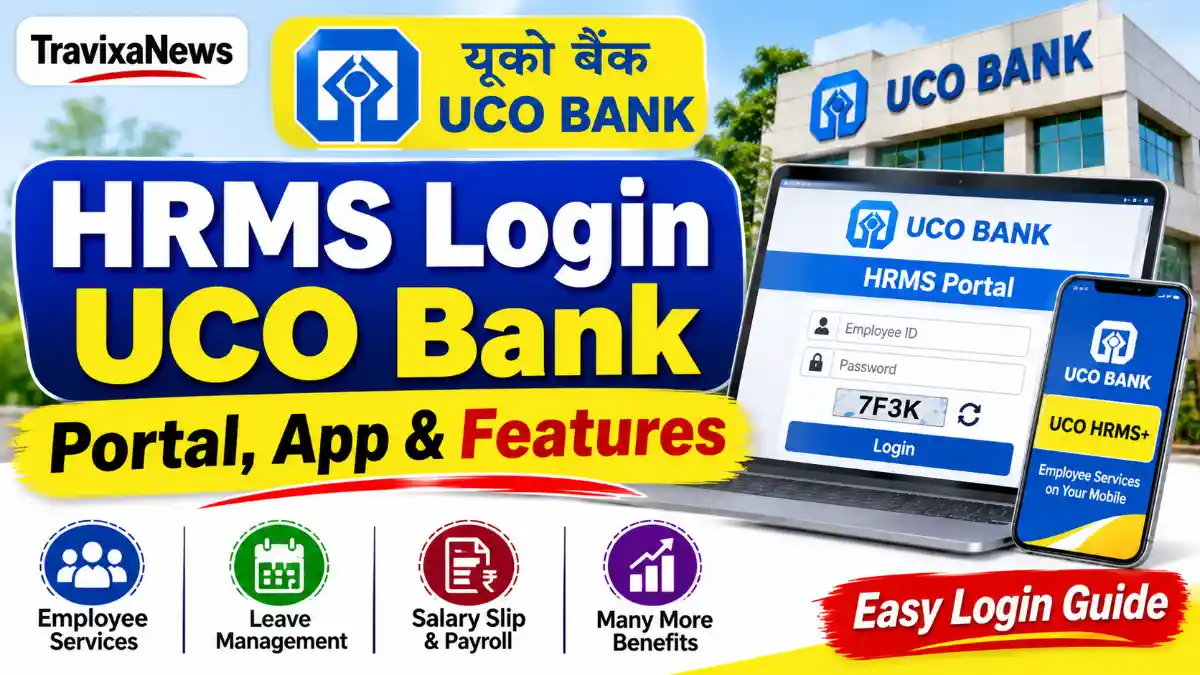
UCO Bank provides an online Human Resource Management System (HRMS) to help its employees manage their work-related activities. Through this platform, employees can access important information such as salary details, leave records, reimbursements, employee profiles and other HR services.
The UCO Bank HRMS login portal gives authorised employees access to their personal and professional information in one place. The bank also offers a mobile application called UCO HRMS+, which makes these services easier to access through smartphones.
One useful feature of UCO HRMS+ is its multilingual support. Both serving employees and retired staff with valid login credentials can use the application.
In this guide, we will explain how to access the UCO Bank HRMS portal, use the UCO HRMS+ app, explore its features and understand the benefits of the system.
What Is UCO Bank HRMS?
UCO Bank HRMS is an online Human Resource Management System developed for the bank’s employees. It provides a centralised platform for managing employee information and accessing different HR services.
UCO Bank, formerly known as United Commercial Bank, was established in 1943 in Kolkata. As a public sector bank, it manages a large workforce across its branches and offices.
The HRMS platform helps reduce paperwork and makes employee services easier to manage. Instead of depending on physical documents for every HR-related activity, employees can use the online system to access available services.
The bank also provides the UCO HRMS+ mobile application for Android and iOS users. It supports multiple languages and is available to both serving and retired employees who have valid credentials.
UCO Bank HRMS Login – Official Website
Employees can access the UCO Bank HRMS portal through the official website.
Official HRMS Website: https://hrms.ucoonline.in/
Follow these steps to access your account:
- Open Google Chrome or another trusted web browser.
- Visit the official UCO Bank HRMS website.
- Open the employee login page.
- Enter your Employee ID or the User ID provided by the bank.
- Enter your registered HRMS password.
- Complete the verification process if requested.
- Click the Login button to access your employee dashboard.
After successful login, you can access the HR services available to your account.
Important: UCO Bank HRMS is designed for authorised employees and retirees. You need valid login credentials to use the portal. If the login page or authentication process changes, follow the latest instructions issued by the bank.
How to Download the UCO HRMS+ Mobile App?
UCO Bank also offers a mobile application called UCO HRMS+. It is the mobile version of the bank’s HRMS portal.
The application is available for Android and iOS users. Employees can use it to access several HR-related services without opening the website every time.
For Android Users
- Open the Google Play Store on your smartphone.
- Search for UCO HRMS+.
- Check that the developer name is UCO Bank.
- Tap the Install button.
- Open the application after installation.
- Enter your valid employee login credentials.
You can download the app from the official Google Play Store listing.
For iPhone Users
- Open the Apple App Store.
- Search for UCO HRMS+.
- Verify that UCO Bank is the developer.
- Download and install the application.
- Open the app and follow the login instructions.
You can also find it through the UCO Bank App Store listing.
Multilingual Support
One useful feature of UCO HRMS+ is its support for multiple languages. Employees can choose their preferred language from the options available in the application.
This makes the platform easier to use for employees working in different regions of India.
Read More Also – APBCR Full Form in Banking: Meaning, Uses and How It Works
Key Features of UCO Bank HRMS
UCO Bank HRMS offers several facilities to help employees manage their daily work-related requirements.
Here are some of its main features.
1. Salary Information
Employees can use the salary section to access their salary-related information.
The platform helps them check available salary records and other payroll details. This makes it easier to find important payment information whenever required.
2. Leave Management
The leave management feature allows employees to manage their leave-related activities online.
Employees can use the available options to submit leave requests and check relevant leave information.
It also helps make the leave process more organised by reducing the need for physical paperwork.
3. Employee Profile
The profile section contains important employee information.
Employees can access their available personal and professional details through the HRMS platform. This helps them keep track of their records in one place.
4. Reimbursement Facilities
UCO HRMS provides reimbursement-related services for eligible employees.
Employees can use the available facilities to manage reimbursement requests and related information through the portal or mobile application.
5. Holiday Home Services
The UCO HRMS+ app includes a Holiday Home facility.
It allows employees to access information and services related to the bank’s holiday home arrangements through the application.
6. Tour Management
The tour facility helps employees access work-related travel information and services.
It brings relevant tour-related activities together on the HRMS platform, making them easier to manage.
7. Announcements and Notifications
The application includes an announcement dashboard where employees can find important bank-related updates.
It also supports push notifications, helping users stay informed about announcements and other relevant information.
8. Raise an Issue
If employees face a problem related to the available HRMS services, they can use the Raise Issue facility.
This feature provides a way to submit issues through the application instead of depending only on offline communication.
9. UCO Sujhav
UCO HRMS+ includes a feature called UCO Sujhav.
It provides employees with access to the bank’s suggestion-related facility through the mobile application.
10. Employee Contacts
The Contacts section helps employees access available contact information through the app.
This can be useful when they need to find relevant details for work-related communication.
Benefits of Using UCO Bank HRMS
UCO Bank HRMS makes employee-related activities easier by bringing several services together on a digital platform.
Here are some important benefits.
1. Saves Time: Employees can access many HR services online without depending on physical documents for every activity.
2. Easy Salary Access: The salary section helps employees check their available payroll information.
3. Convenient Leave Management: Employees can manage leave-related activities through the online platform.
4. Mobile Accessibility: UCO HRMS+ allows authorised users to access supported HR services through their smartphones.
5. Multiple Language Options: The multilingual application makes it easier for employees from different regions to use the platform.
6. Better Communication: Announcements and push notifications help employees stay updated about important information.
7. Support for Retired Employees: Eligible retired employees can also use the application with valid credentials.
Can Retired UCO Bank Employees Use HRMS?
Yes. UCO Bank officially allows both in-service employees and retired employees to use the UCO HRMS+ mobile application.
This means retired staff members are not excluded from the bank’s digital HR services.
The application provides access to facilities available to eligible pensioners. The App Store listing also mentions pension details as a dedicated feature for pensioners.
However, the services available may differ depending on the user’s employment status and account permissions.
Retired employees should use their valid credentials and contact the bank if they need help accessing their accounts.
What to Do If UCO Bank HRMS Login Is Not Working?
Sometimes employees may face problems while accessing the HRMS portal or mobile application.
Here are some basic steps that may help:
- Check Your Login Details: Make sure your Employee ID and password are correct.
- Check Your Internet Connection: A slow or unstable connection may prevent the login page from loading.
- Use an Updated Browser: Try opening the portal in an updated version of Chrome or another trusted browser.
- Update the Mobile App: If you are using UCO HRMS+, check whether a newer version is available.
- Check Your Account Access: Make sure your HRMS credentials are active and valid.
- Contact Bank Support: If the problem continues, contact the bank’s authorised HRMS support team.
For app-related assistance, the Google Play Store listing provides the official support email: hohrm.hrms@ucobank.co.in.
Never share your password or OTP with anyone claiming to offer unofficial login assistance.
Frequently Asked Questions (FAQs)
1. What is the official website for UCO Bank HRMS login?
The UCO Bank HRMS portal is available at https://hrms.ucoonline.in/. Authorised employees can use their valid login credentials to access the platform.
2. What is UCO HRMS+?
UCO HRMS+ is the official mobile application of UCO Bank’s HRMS system. It provides access to services such as employee profiles, salary, leave management, reimbursements, announcements and other facilities.
3. Can retired employees use UCO Bank HRMS?
Yes. UCO Bank allows both serving and retired employees with valid credentials to use the UCO HRMS+ application. Eligible pensioners can also access pension-related information.
4. Is UCO HRMS+ available for Android and iPhone?
Yes. The official UCO HRMS+ application is available on Google Play Store for Android users and Apple App Store for iPhone users.
5. Does UCO Bank HRMS support multiple languages?
Yes. UCO HRMS+ offers multilingual support, allowing employees to select their preferred language from the available options.
6. What should I do if I forget my UCO HRMS password?
If you cannot remember your password, follow the password assistance instructions available on the official login page or contact the bank’s authorised HRMS support team for help.
Final Words
UCO Bank HRMS is a useful digital platform that helps employees manage their HR-related activities in one place. It provides access to important services such as salary information, leave management, reimbursements, employee profiles and announcements.
The UCO HRMS+ mobile application makes these services easier to access through Android and iOS devices. Its multilingual support and availability for retired employees also make it useful for a wider group of UCO Bank staff.
If you are a UCO Bank employee or retired staff member, you can visit the official HRMS portal or download the UCO HRMS+ application to access the services available to your account.
Read More Also – PNB HRMS 2.0 Login: PNB Parivar Portal, Features, App & Benefits