






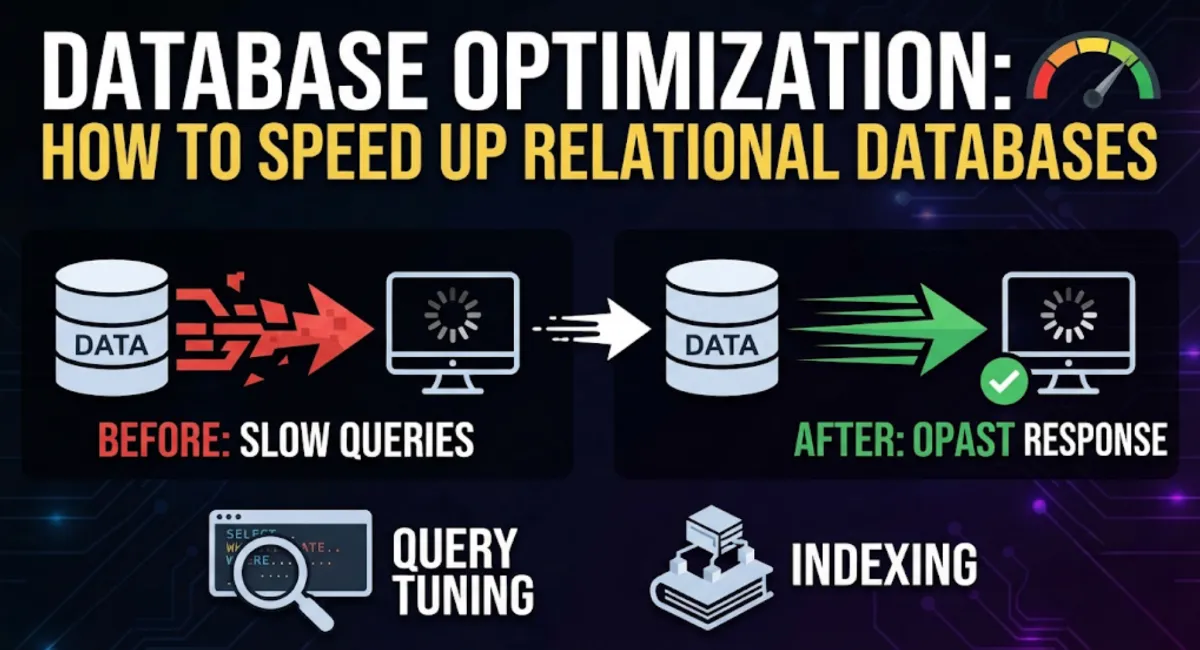
Database optimization is the systematic process of refining queries, schema structures, indexes, and server hardware so a database retrieves and processes information as quickly and efficiently as possible. Relational databases sit at the core of most web, mobile, and enterprise applications. While modern Relational Database Management Systems (RDBMS) handle routine workloads smoothly out of the box, growing data volumes and heavier user traffic inevitably introduce bottlenecks unless the system is actively tuned.
Why Database Optimization Matters
Neglecting database performance creates ripple effects across an entire software stack. Investing in proper tuning delivers three direct benefits:
- Better user experience: End users expect near-instant page loads and responsive interactions. Sluggish queries stall screens, increase bounce rates, and erode customer trust.
- Stronger overall application performance: An application is only as fast as its slowest data call. Removing database bottlenecks prevents request queuing, timeouts, and cascading delays in backend services.
- Cost-effective scalability: Well-tuned databases handle significantly more concurrent users and larger datasets on existing infrastructure, allowing businesses to scale without immediately overspending on oversized servers.
Four Core Pillars of Database Optimization
Effective relational database tuning relies on four foundational techniques that work together from the SQL layer down to the physical server.
1. Query Optimization
Query optimization involves rewriting and structuring SQL statements so the database engine scans fewer rows, uses less memory, and returns results faster. Think of it like visiting a library: asking the librarian for a specific book by title or author gets you what you need in seconds, whereas asking for every book on the shelves wastes time.
Two high-impact habits make an immediate difference:
- Retrieve only the columns and rows you need: Avoid
SELECT *and unfiltered table scans. Use explicit column names and tightWHEREclauses to limit transferred data.
SQL
-- Slower: fetches every customer across all cities
SELECT customer_name FROM Customer;

-- Faster: filters directly to the target city
SELECT customer_name FROM Customer WHERE city = 'Delhi';
- Avoid wrapping indexed columns in functions inside
WHEREclauses: Applying a function to a column forces the database engine to evaluate that function on every single row, often preventing it from using an existing index.
SQL
-- Slower: DATE() disables standard index lookup on order_date
SELECT * FROM orders WHERE DATE(order_date) = '2024-01-01';

-- Faster: allows direct index range/equality lookup
SELECT * FROM orders WHERE order_date >= '2024-01-01' AND order_date < '2024-01-02';
2. Indexing
An index acts like the index at the back of a textbook—instead of flipping through hundreds of pages to find a topic, you look up the exact page number and jump straight to it. In an RDBMS, indexes create sorted lookup structures (such as B-tree or Hash indexes) that point directly to rows on disk.
SQL
-- Create a single-column index on CustomerID for faster lookups and joins
CREATE INDEX idx_customer_id ON Orders(CustomerID);
- Composite indexes cover multiple columns together and work well when queries routinely filter or sort by the same combination of fields.
- Trade-off to watch: While indexes dramatically accelerate
SELECTqueries, everyINSERT,UPDATE, andDELETEmust also update those index structures. Index columns that appear frequently inWHERE,JOIN, andORDER BYclauses, and remove unused indexes.
3. Schema Normalization
Normalization organizes data across related tables to eliminate duplicate values and protect data integrity. Rather than repeating an author’s address and email alongside every book they publish, you separate books and authors into distinct tables linked by foreign keys:
SQL
CREATE TABLE Authors (
    AuthorID INT PRIMARY KEY,
    AuthorName VARCHAR(100),
    Address VARCHAR(150),
    Email VARCHAR(100)
);

CREATE TABLE Books (
    BookID INT PRIMARY KEY,
    Title VARCHAR(100),
    Publisher VARCHAR(100),
    AuthorID INT,
    FOREIGN KEY (AuthorID) REFERENCES Authors(AuthorID)
);
Clean normalization shrinks storage footprints and prevents update anomalies. In read-heavy reporting systems, selective denormalization can also be used intentionally where avoiding complex multi-table joins outweighs storage savings.
Read More Also – What is Google Scholar and How to Use It
4. Server Resource Optimization
Even well-written SQL slows down when underlying hardware resources are starved:
- CPU tuning: The processor executes query plans, sorts, and joins. Tune database worker/thread settings to match core counts and upgrade aging processors when sustained CPU utilization stays high.
- Memory (RAM) allocation: Allocating generous buffer/cache memory lets the RDBMS hold hot tables and indexes in RAM, drastically cutting slow disk reads (disk I/O).
- Disk space management: Monitor storage growth, archive historical records, purge obsolete logs, and run databases on fast NVMe/SSD storage.
Quick Reference: Optimization Techniques & Impact
| Optimization Area | Primary Technique | Main Benefit | Key Caution |
|---|---|---|---|
| SQL Queries | Specific SELECT lists, sargable WHERE filters | Cuts row scans and execution latency | Always inspect execution plans (EXPLAIN) |
| Indexing | B-tree, Hash, and composite indexes | Near-instant lookups and faster joins | Slows down heavy write (INSERT/UPDATE) loads |
| Schema Design | Normalization & clean primary/foreign keys | Eliminates redundancy and anomalies | Over-normalization can require excessive joins |
| Memory & Caching | Buffer pool sizing & query/app-level caching | Minimizes expensive disk I/O | Requires sufficient server RAM |
| Architecture | Connection pooling, read replicas, clustering | High concurrency and fault tolerance | Adds operational and network complexity |
Six Practical Ways to Make Your Database Run Faster
Beyond day-to-day query tuning, six architectural and operational practices keep production databases fast under growing traffic:
- Follow disciplined database design: Choose compact, accurate data types (for example, using
INTorBIGINTinstead of oversizedVARCHARstrings for IDs), enforce constraints early, and align indexes with real application query patterns. - Prevent disk space exhaustion: When server storage approaches capacity, transaction logs stall, temporary sort files fail, and database performance degrades sharply. Automate log rotation, compress cold archives, and set disk utilization alerts well below 80%.
- Use database clustering and read replicas: Clustering distributes workloads across multiple server nodes, enabling parallel processing and automatic failover if a primary node goes down. Adding read replicas also offloads heavy analytics and reporting queries away from your primary transactional node.
- Upgrade bottlenecked hardware: If
EXPLAINplans and indexes are already clean, adding RAM to expand the buffer pool or upgrading to higher-throughput NVMe SSDs often delivers immediate throughput gains. - Manage connection capacity with pooling: Opening and closing raw database connections on every HTTP request wastes CPU and memory. Use a connection pooler (such as PgBouncer for PostgreSQL or ProxySQL for MySQL) to reuse active connections and prevent connection spikes from overwhelming the server.
- Monitor network latency and throughput: A fast query still feels slow over a congested network. Keep application servers and database instances in the same region or availability zone, monitor packet loss, and avoid chatty loops that send dozens of sequential queries instead of a single batched query.
Putting Database Optimization Into Practice
Start with the highest-leverage, lowest-cost fixes first: run EXPLAIN (or EXPLAIN ANALYZE) on your slowest queries, add missing indexes on frequently filtered columns, and introduce connection pooling before spending money on larger servers. Pairing clean schema design with ongoing query and resource monitoring keeps your database fast, predictable, and ready to scale as data grows.
Read More Also – Why People and Businesses Use Virtual Private Networks