






Whether you are working from a coffee shop or connecting branch offices across cities, a virtual private network solves several everyday networking and privacy problems:
- Privacy protection: By masking your IP address and scrambling your data, a VPN prevents Internet Service Providers (ISPs), advertisers, and third-party trackers from easily profiling your browsing habits.
- Security on public Wi-Fi: Open networks at airports, hotels, and cafes leave unencrypted data exposed. A VPN encrypts login credentials, banking sessions, and personal files against packet sniffing on shared networks.
- Bypassing geo-restrictions: Routing your connection through a server in another region changes your apparent geographic location, letting you access region-locked websites, research tools, or streaming libraries.
- Reducing ISP throttling: Because encryption hides what kind of traffic you are sending, ISPs cannot easily detect bandwidth-heavy activities like 4K streaming or online gaming to selectively slow them down.
- Secure remote access: Organizations rely on VPNs so remote employees can safely reach internal company servers, databases, and intranet applications from outside the office.
How a Virtual Private Network Works: Step by Step
When you turn on a VPN client on your phone, laptop, or router, five core steps happen behind the scenes:
- Connection establishment: The VPN app authenticates your device and negotiates a secure session with your chosen VPN server.
- Data encryption: Before leaving your device, outgoing data packets are locked using cryptographic algorithms. If hackers or network administrators intercept the packets, they see only unreadable ciphertext.
- Traffic redirection (tunneling): Your encrypted packets travel through a virtual tunnel to the VPN server. The server strips your real IP address and replaces it with its own public IP, hiding your identity and physical location from destination websites.
- Decryption and forwarding: The VPN server decrypts your request and forwards it to the target website or online service. When the website responds, the server encrypts the reply and sends it back through the same tunnel to your device.
- End-to-end protection: Together, encryption and tunneling protect data confidentiality, preserve integrity against tampering in transit, and improve anonymity.
Read More Also – Understanding Prime Numbers and Edge Cases
Types of Virtual Private Networks
VPNs are grouped in two main ways: by how they are deployed in a network, and by the tunneling protocol they run.
1. Types Based on Deployment (Usage)
Deployment models define who is connecting and what part of a network is protected:
- Remote Access VPN: Connects an individual device (like a laptop or smartphone) to a private network over the internet. This is the standard setup for remote workers and everyday consumer VPN users.
- Site-to-Site VPN: Links two or more separate local networks—such as a corporate headquarters and regional branch offices—so internal traffic moves securely between locations without requiring VPN software on every employee device.
- Mobile VPN: Built specifically for handheld devices that frequently switch between Wi-Fi hotspots and cellular data, keeping active sessions alive without dropping connections during network handoffs.
- MPLS VPN: A carrier-managed enterprise Wide Area Network (WAN) solution offering predictable routing, scalability, and traffic prioritization. Note that standard MPLS separates customer traffic logically rather than providing end-to-end encryption by default.
2. Types Based on Tunneling Technology
Protocol-based classifications describe the rules used to create, authenticate, and encrypt the tunnel—directly affecting connection speed, battery life, and security strength.
Comparing Major VPN Protocols
Different VPN protocols balance speed, security, firewall traversal, and device compatibility in different ways:
| Protocol | Core Encryption / Transport | Strengths | Limitations | Best Use Case |
|---|---|---|---|---|
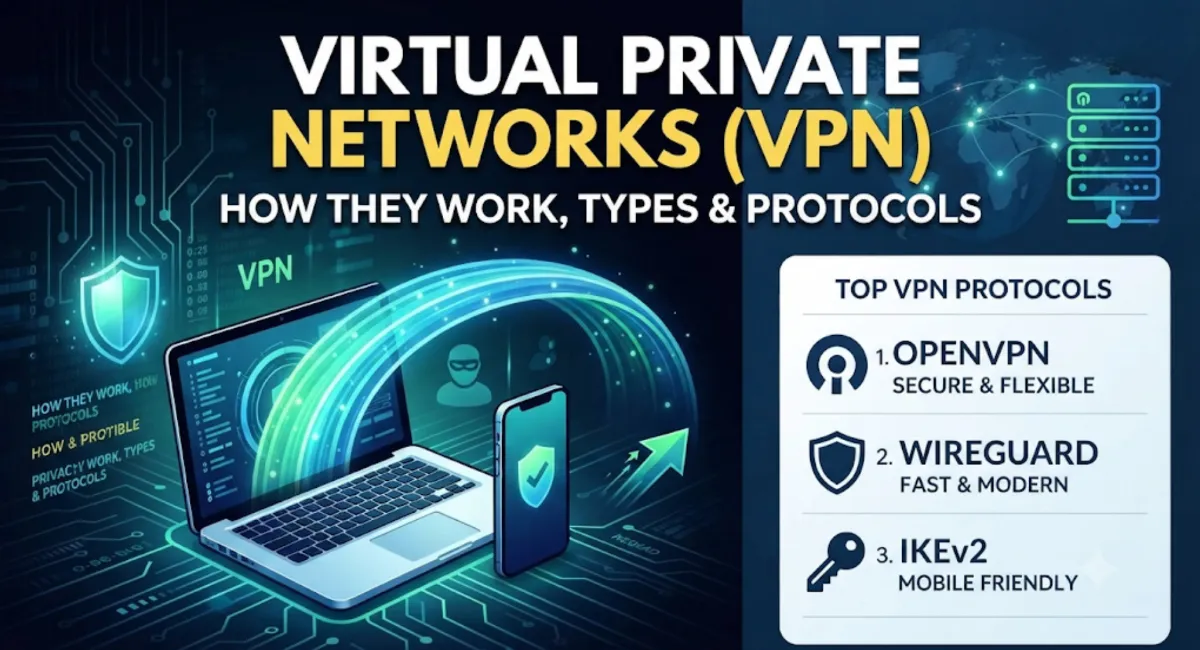
| WireGuard | ChaCha20, Poly1305, BLAKE2s (UDP) | Very fast, low latency, small auditable codebase, instant mobile handoffs | Fewer built-in obfuscation options without extra tooling | Streaming, gaming, and mobile devices |
| OpenVPN | SSL/TLS with AES-256 or ChaCha20 (UDP/TCP) | Open-source, battle-tested security, passes through NAT and firewalls easily on TCP | Slightly heavier overhead than WireGuard | Privacy-critical browsing and bypasses on restrictive networks |
| IKEv2/IPsec | AES-256 with Perfect Forward Secrecy (UDP) | Fast, stable, automatically reconnects when switching Wi-Fi and mobile data | Can be blocked more easily by strict firewalls | Smartphones and enterprise remote access |
| SSTP | SSL/TLS over TCP port 443 | Blends in with standard HTTPS traffic to bypass restrictive firewalls | Proprietary to Microsoft; limited non-Windows support | Restrictive networks on Windows machines |
| L2TP/IPsec | L2TP tunneling + IPsec encryption | Built into most operating systems; stronger than PPTP | Double encapsulation slows down throughput | Legacy or cross-platform setups lacking newer protocols |
| PPTP | Legacy MPPE encryption (TCP/GRE) | Very low overhead and fast on older hardware | Outdated encryption with known security flaws | Legacy compatibility only (avoid for sensitive data) |
Read More Also – How Many Keys Are on a Computer Keyboard? Complete Key Breakdown Guide
How to Choose the Right VPN for Your Needs
Selecting a dependable VPN comes down to five practical criteria:
- Security and privacy standards: Look for strong encryption (AES-256 or ChaCha20), modern protocols (WireGuard, OpenVPN, or IKEv2/IPsec), a kill switch to prevent accidental IP leaks, and an independently audited no-logs policy.
- Speed and low latency: If you stream high-definition video, game online, or join frequent video calls, prioritize providers with modern WireGuard support and uncongested servers near your location.
- Server network coverage: A broad spread of server locations across multiple countries gives you faster nearby routing options and reliable access to international content.
- Cross-platform support: Confirm native apps exist for every operating system you use—Windows, macOS, Android, iOS, Linux, or home routers if you want whole-household protection.
- Reliability and support: Choose a provider with consistent uptime, clear setup documentation, and responsive customer support when troubleshooting firewall or connection blocks.
Drawbacks and Limitations of Using a VPN
While Virtual Private Networks substantially improve online privacy and network security, they come with a few trade-offs:
- Lower internet speeds: Encrypting packets and routing them through a remote server adds latency and can reduce raw download or upload speeds.
- Varying provider trustworthiness: Not every VPN protects user privacy—some free or low-grade services use outdated encryption, inject ads, or log user activity.
- Active VPN blocks: Certain banking portals, streaming platforms, and restrictive regions detect and block known VPN server IP ranges.
- Setup complexity at scale: While consumer apps take one click, configuring site-to-site tunnels, split tunneling, or router-level VPNs requires networking knowledge.
- Ongoing costs: Free tiers usually cap bandwidth, throttle speeds, or restrict server locations, meaning dependable unlimited performance typically requires a paid subscription.
Summary Checklist Before You Connect
A Virtual Private Network cannot protect you from phishing links, weak passwords, or malware you manually download, so pair it with strong authentication and updated software. For most users, enabling WireGuard or OpenVPN on a reputable no-logs provider gives the best balance of everyday speed and strong encryption.
Read More Also – Understanding the HTML Color Code #F8F8FF (Ghost White): Complete Guide for Web Designers